Completed Submissions
- Reviewing Your Submission
- Understanding Who Can Access Your Submission
- Understanding What Information Was Shared
Thanks for completing a Submission via Abaca!
You can review your completed submissions any time on the My Submissions page.
Submitted submissions will appear in a list below your draft submissions.
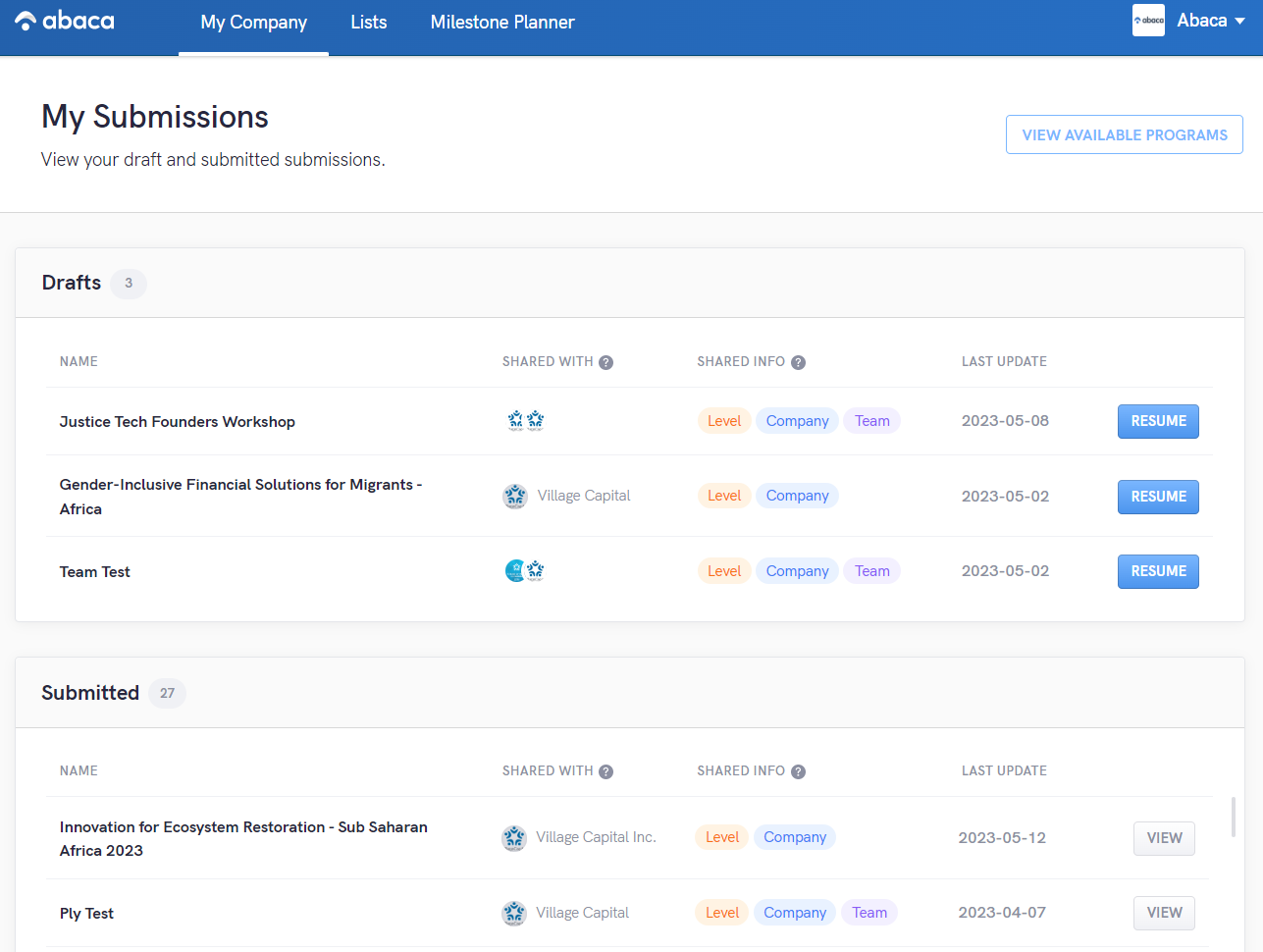
Reviewing your Submission
Click the view button to see all the information you submitted to Abaca.

It's important to understand that team demographic information presented in your submission view are only available to you and not the Supporter you submitted to. Supporters do not have access to individual team members' demographics such as gender identity, ethnicity, etc. Supporters only have access to team members' name, title, and email.
Understanding Who Can Access Your Submission
Under the shared with column you will see a list of Supporter accounts on Abaca that have access to your submission inside of Abaca.
Supporters may also share your submission information with advisors, partners, and others beyond Abaca.This is often essential for Supporters to evaluate companies they're considering for programming, to provide support to companies they are helping, or to report progress on alumni and portfolio companies. Consult the Supporter you submitted for how they shared or utilize your submission information. Abaca has no control over or responsibility for how Supporters share or utilize information you have submitted to them.
Understanding What Information Was Shared
This column lists what types of information where shared with the Supporters listed under "Shared With". The three options are Level, Company, and Team.
Level
Level corresponds to your Venture Investment Level assessment. Supporters will receive access to your assessment including your overall level and each category level. They will also receive a link to your company profile where they can access your assessment history.
Company
Company refers to all of the company questions you answered in the submission. The supporter will not have access to other questions you have submitted on Abaca. Supporters also do not have access to your response history, they cannot see previous answers to these questions submitted to other Supporters.
Team
Team is a section with important nuance. Supporters will have access to your list of team members and their required basic information of first name, last name, title, and email. Supporters do not have direct access to team member demographics such as gender, ethnicity, age, etc.
Supporters gain aggregated access to team demographics at the Abaca List level. This means that for a given list of companies they will get reporting such as:
- 40% of the companies in your Pipeline list have female team members
- 10% of the companies in your Portfolio list have African American team members
This data helps Supporters identify steps in their process where they may have implicit biases or a lack of adequate pipeline. Supporters use this information to identify areas of improvement and become more inclusive.